If you enjoy testing your skills against real players, Head to Head (H2H) mode in FC Mobile is where the real competition happens. Winning matches earns you Stars that help you climb through divisions, while each new tier brings better rewards and tougher opponents. Here’s a complete guide to help you understand how H2H works and how to progress faster.
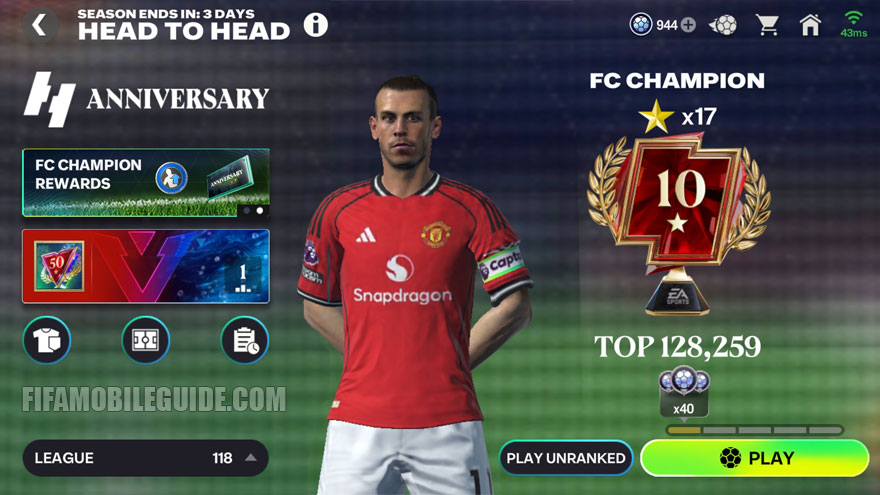
Together with VS Attack (VSA) and Manager Mode, H2H is a part of the Division Rivals in FC Mobile 26. In H2H, you take full control of your team in both attack and defense, just like in console football games.
Unlike VSA, your Team OVR doesn’t matter in H2H. Every match depends purely on your gameplay skills, making it the best mode to play with friends on equal terms.
Keep in mind, though, that H2H runs in real-time, so it needs a stable and fast internet connection. If either player has a poor connection, the whole match can lag or slow down for both sides.
Basic Rules
Each match affects your progress through Stars:
- Win a match to earn 1 Star.
- A loss will cost you 1 Star.
- A draw doesn’t change your Stars.
When you collect all Stars in your current division, you’ll be promoted to the next one. If you lose all your Stars and lose again, you’ll be relegated to a lower division.
Bonus Points
You can earn Bonus Points from every match you play:
- Win: +3 Points
- Draw: +2 Points
- Loss: +1 Point
Once you collect enough Bonus Points, they automatically convert into a Bonus Star. Bonus Points only apply in divisions below FC Champion and reset at the start of each new season.
The required Bonus Points per Star vary by division:
- Amateur & Semi-Pro: 6 Points for 1 Star.
- Pro to Legendary: 8 Points for 1 Star.
Star Shield
A Star Shield prevents you from losing a Star after a defeat. If you have one, it’s automatically used when you lose a match.
- Star Shields can be earned through Star Pass and Promotion Rewards.
- They expire at the end of the season.
- They only work in divisions lower than Legendary.
Divisions
H2H is divided into multiple tiers, each with several mini-divisions. You need to earn 3 Stars to move up to the next mini-division. Every time you reach a new mini-division, you’ll get promotion rewards.
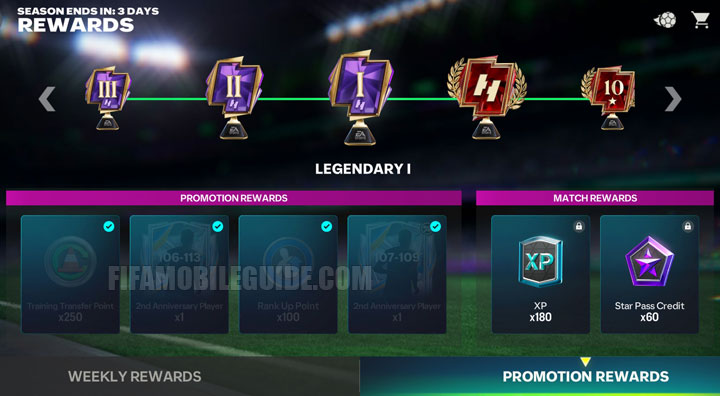
Here are all the divisions in order:
- Amateur (III, II, I)
- Semi-Pro (III, II, I)
- Pro (V, IV, III, II, I)
- World Class (V, IV, III, II, I)
- Legendary (V, IV, III, II, I)
- FC Champion (0★, 10★, 20★, 30★, 40★, 50★)
In FC Champion, there’s no relegation. Players are ranked based on the total number of Stars they’ve collected, and if two players have the same total, the one who reached it first ranks higher.
Division Reset Each Season
When a new Division Rivals season starts, your progress is partially reset:
- You’ll move down 5 mini-divisions, but never below Pro V.
- If you finished below Pro V, only your Stars will reset, not your division.
- You can also claim all promotion rewards from divisions below your new starting point.
Division Protection
Players in Amateur and Semi-Pro divisions cannot be relegated from their current mini-division. This makes it easier for newer or casual players to progress without losing too much ground.
Weekly Leaderboard
The Weekly Leaderboard runs every week, from Thursday to Thursday.
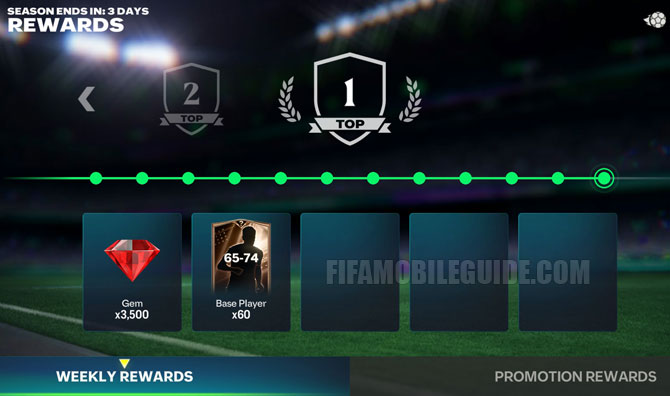
Here’s how it works:
- Rankings are based on total wins during the week.
- You must play at least one match to appear on the leaderboard.
- Players are grouped by division into leaderboards of 20 players each.
- If players have the same number of wins, the one who reached it first ranks higher.
- At the end of the week, rewards are given based on your rank, with higher divisions receiving better rewards.
Tips & Tricks
Here are some useful H2H tips and tricks based on current gameplay in EA Sports FC Mobile 26. If you’re new to the mode, you should first learn about Gameplay Controls to understand the basics.
Choose Your Formation Wisely
The meta in FC Mobile 26 still favors balanced and flexible formations. Formations like 4-1-2-1-2 Narrow, 4-3-3 Holding, 4-3-3 Attack, 3-5-2, or 4-2-3-1 work great depending on your playstyle.
Don’t Overuse the 2nd Defender
Pressing the 2nd defender button too often makes your defense open and easy to break through. Use it only when you’re sure you can win the ball or when you’re close to the opponent. Otherwise, control your main defender manually and maintain your defensive shape.
Adjust Auto-Switching Based on Comfort
The auto-switching feature can help organize your defense, but it might mess up your control if you’re not used to it. Try both styles and stick to what fits your reaction speed and defending habits best. Most skilled players now prefer manual switching for better control.
Switch Tactics During Set Pieces
Set pieces can be risky moments in H2H. When you take a corner, switch to Attacking or Balanced to push more players forward. When you defend a corner, switch to Defensive to bring everyone back.
This simple switch can help prevent counterattacks or make your corners more effective.
Use the Radar for Counter-Attacks
Always keep an eye on the radar during transitions. If one of your forwards is in space, quickly use a through pass or long pass to start a counter. Timing and vision are key for quick goals.
Focus on Skill Moves and Dribbling
Skill moves are very important in FC Mobile 26 since defending is harder and more manual. Learn to use step overs, heel-to-heel, lane change, roulette, or elastico effectively. These moves can help you break tight defenses and create scoring chances.
Keep Possession When Leading
If you’re ahead in the scoreline, don’t rush. Hold possession, pass around, and force your opponent to press you. This helps you control the pace and reduce risky turnovers.
H2H in FC Mobile 26 rewards smart play, quick reactions, and good positioning. Keep practicing, learn how your team behaves in defense and attack, and use the right tactics for each opponent.
You can also check the Skill Moves guide to become more confident and efficient in 1v1 situations.
 PlayStyles: The Definitive Guide
 Rank & Sell Calculator
 Team Badge Guide
 Scouting Camp Guide


Why is there no Colosseum Mkhitaryan in the market. Please add him in market.
Fc mobile beta download now